

Before we get into all the details on how to write a copyright page, it’s worth mentioning that this isn’t a legal requirement.
Your published work is protected by copyright regardless of whether a copyright page is included.
You’re about to see why it’s still a good idea to have one — and how to create one that is 100% worth the extra time and space.
Read on to learn everything you need to know about copyright pages and how to make them.
Copyright Page of a Book: All You Should Know
If you plan on including a copyright page in your book (which we highly recommend), it’s time to get acquainted with what they are, what they contain, and why they’re a good idea.
What Is a Copyright Page of a Book?
A copyright page essentially tells your reader when the book was published and who owns the rights to it. It tells people your book is not public domain.
It can do more than that, but at its simplest, this page is about asserting your rights as the book’s author.
As a self-publishing author, you and you alone have the right to profit from your work’s publication, marketing, and distribution, though you may decide to trade a percentage of that profit to make.
Anyone who tries to profit from your work without your permission is guilty of plagiarism. Anyone who steals your work to enjoy it without paying you for it is guilty of piracy (unless you’re providing free copies as part of a promotion).
You have a right to protect yourself from both.
Why You Need a Book Copyright Page
While you’re not legally obligated to include a copyright page in your book, there are good reasons why most, if not all, published books have them:
- To alert your readers that your book is not public domain
- To show the year your book was published (important for time-sensitive content)
- To show your book’s ISBN and (if applicable) Library of Congress codes
- To give credit for quoted/borrowed content in your book
- To give credit to the professionals in your creative team (editor, illustrator, etc.)
- To link your book to your author website
Do I Need a Copyright Page for My eBook?
Again, a copyright page isn’t legally required. And if you’re only publishing your work in eBook format, you don’t even need an ISBN number. So, why should you have one anyway?
With or without this page, copyright law protects your intellectual property for the rest of your life plus 70 years afterward. But readers won’t automatically know that.
Plus, adding this page is so easy that the benefits more than outweigh the added cost in time and book space.
What Does a Copyright Page Include?
As you’ll see on some of the sample copyright pages further down, copyright information for books can vary depending on how much information you want to share.
That said, with many published books, this page often includes the following elements:
1. Disclaimer
This is a statement to protect you from lawsuits related to your book’s content. For a work of nonfiction, you may just want to clarify your degree of expertise and remind the reader that your book does not constitute medical, legal, or other actionable advice.
For a work of fiction, you just want to make sure readers don’t see actual people in your characters and try to sue you for perceived damage to their reputation.
2. Book copyright notice
This is one of the two halves of the most straightforward copyright page, and it consists of the following: copyright symbol (©) + year of publication + author’s name.
You can add the word “copyright” before the symbol, though you don’t have to. You can also insert the word “by” between the publication year and the author’s name.
Rights reserved notice — This is the second essential half, and it can be as simple as “All rights reserved.” Or you can extend it to warn readers against reproducing content without your consent.
The point here is to make sure your reader knows your book is not public domain.
3. ISBN (International Standard Book Number)
The ISBN is a 13-digit number used to catalog books, ebooks, audiobooks, CDs, etc. You’ll need a different ISBN for each of your book’s published formats, including paperback, hardcover, and different trim sizes.
4. Library of Congress Control Number
This is free to obtain and necessary if you want your book shelved in libraries. If you’re not interested in seeing your book on a library shelf, you probably don’t need this. Click here to learn more about their “Cataloguing in Publication” program.
5. Permissions Notice
If you borrowed content (images, articles, etc.) from other sources and need to give them credit, you can include this on your book’s copyright page. But first obtain the permission of the original creators.
Including this can also help protect you from lawsuits related to your book’s content.
6. Release Date for First Printed Edition
If your copyright date is different from the release date of your first paperback or hardcover edition, you may want to include this date on the copyright page. It’s particularly helpful for books with time-sensitive content.
7. Credit to Your Creative Team
While you can also save these credits for your Acknowledgements page, some authors prefer to credit their creative team right on their copyright page.
After all, this book is the product of more than one creative mind, and your editor, illustrator, cover designer, etc., would no doubt appreciate a mention on such a key page in your book.
8. Publisher Information
Here’s where you’d put the name of your publishing company (if you have one), along with its geographical location and the publication year.
If you’ve created a publishing house of your own, include that information here, along with a link/address to your publishing website, if you have one.
Also, if you’ve created one for your author website or publishing company, feel free to insert it here, centered near the bottom.
9. Author Website
If you’re a self-published author, adding the address of your author website will make it easier for your readers to contact you with questions and comments and find more of your published work.
10. Social Media Links or Usernames
If you want your readers to find you on social media, include your links or usernames for all the social media channels you use regularly as your author persona.
Copyright Page Template Examples
To get you started creating a copyright page for your book, check out the following templates.
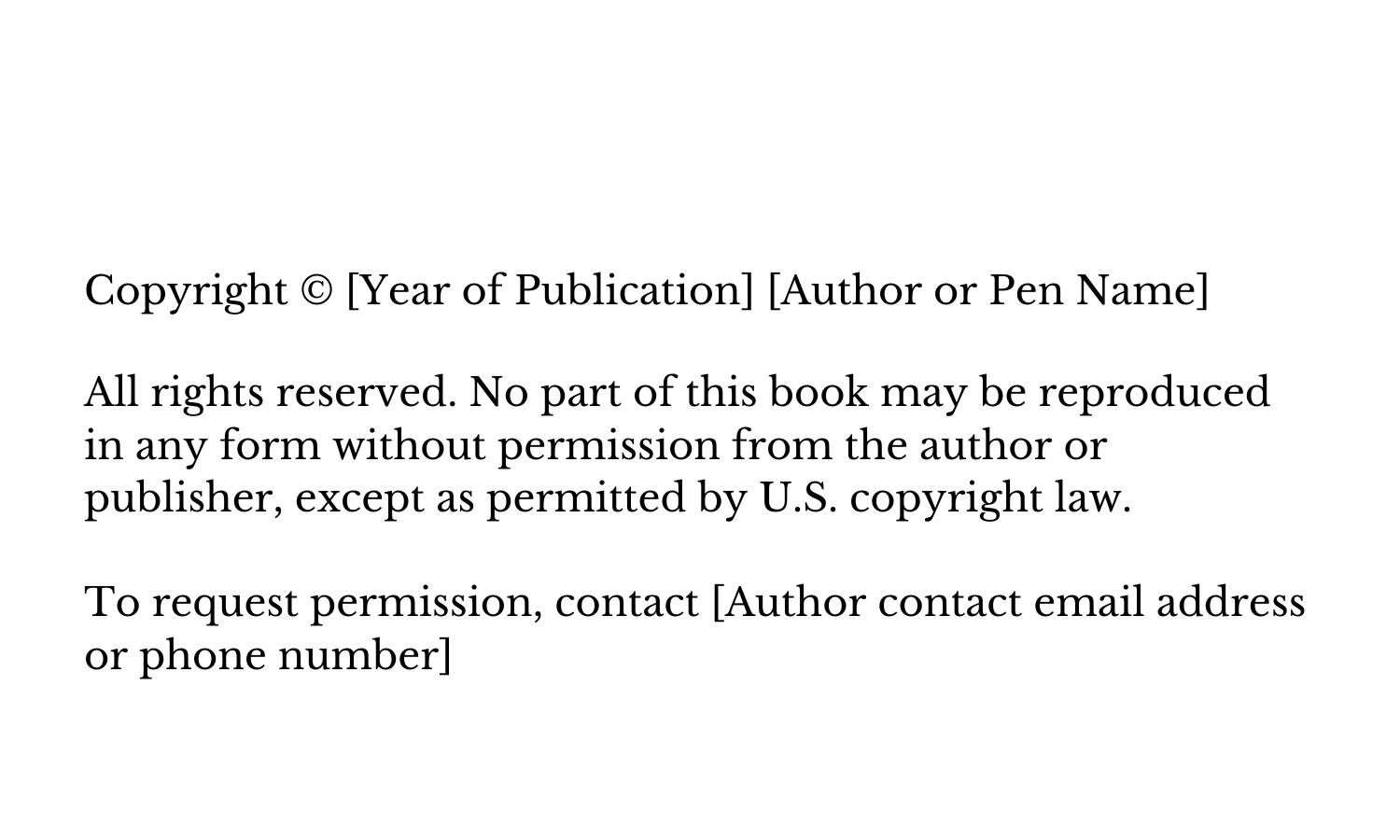
#1 — Keeping It Simple
Copyright pages don’t have to be complicated. This minimalist template has all you need to let readers know you’re aware of your rights as your book’s author.
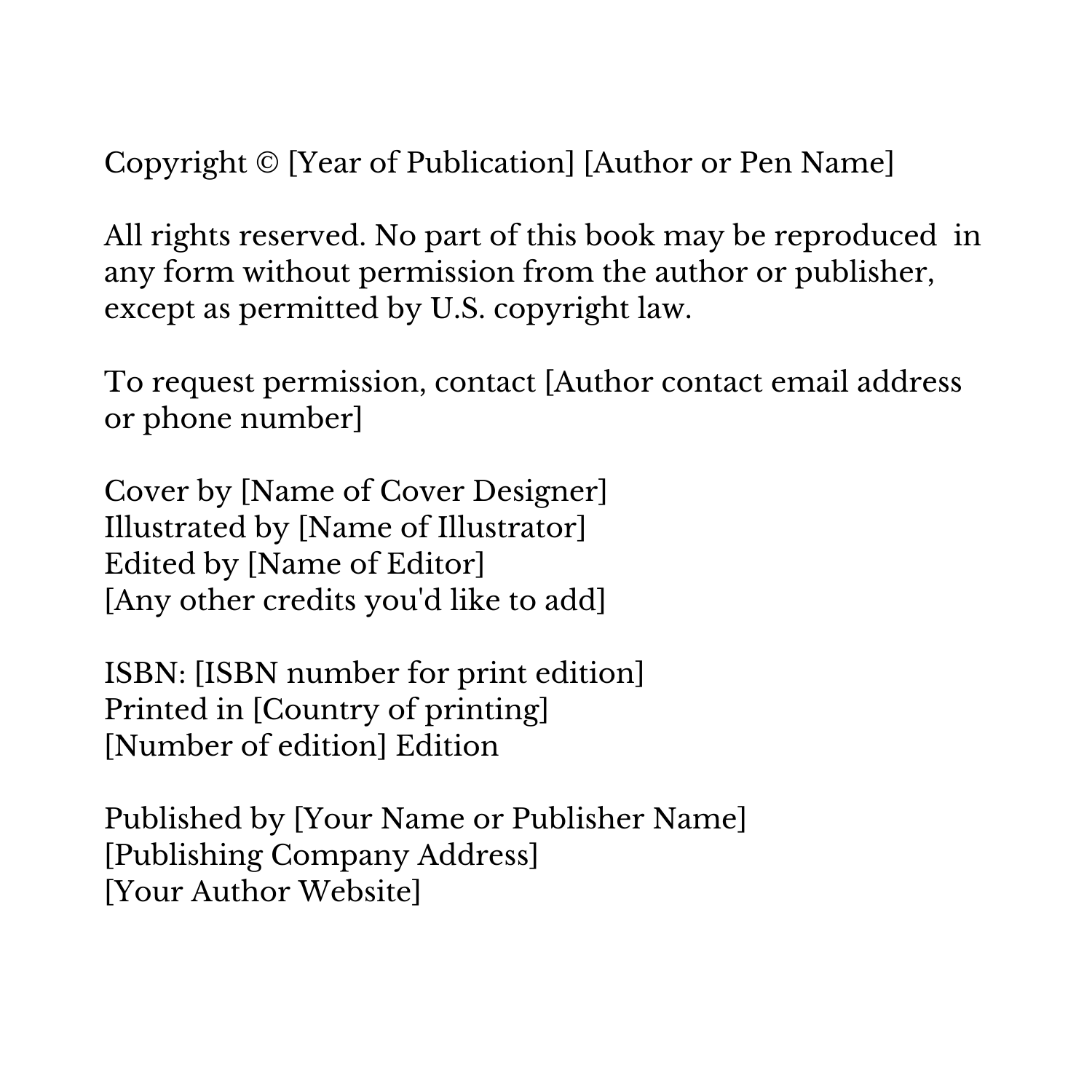
#2 — Copyright Page Template for Print Edition
The following template is for a printed edition of a book that doesn’t include a disclaimer (though you can certainly add one).
More Related Articles
How To Write A Book In Google Docs
Make Your Table Of Contents Grab Their Attention
Writing a Story? 10 Key Parts Of A Story You Must Include
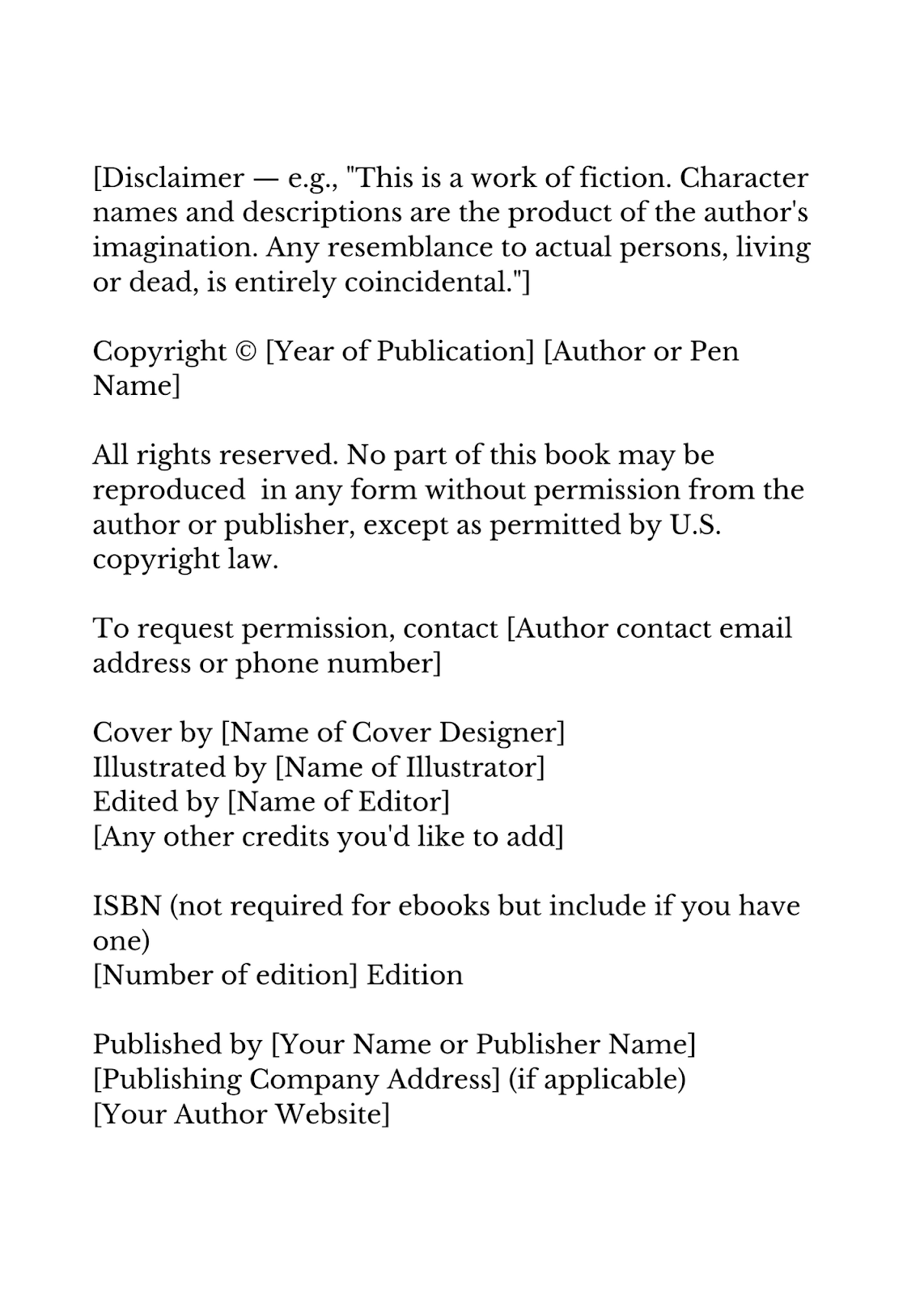
#3 — Copyright Page Template for eBook with Disclaimer
The following template starts with a disclaimer field and provides an example for a work of fiction. The rest is similar to the template for the printed edition but doesn’t include a field for “country of printing.”
Copyright Page in a Book Examples
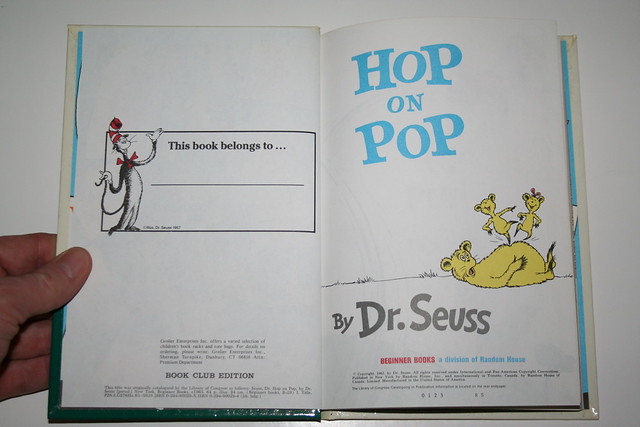
Check out these three book copyright example pages to get more ideas for your own book.
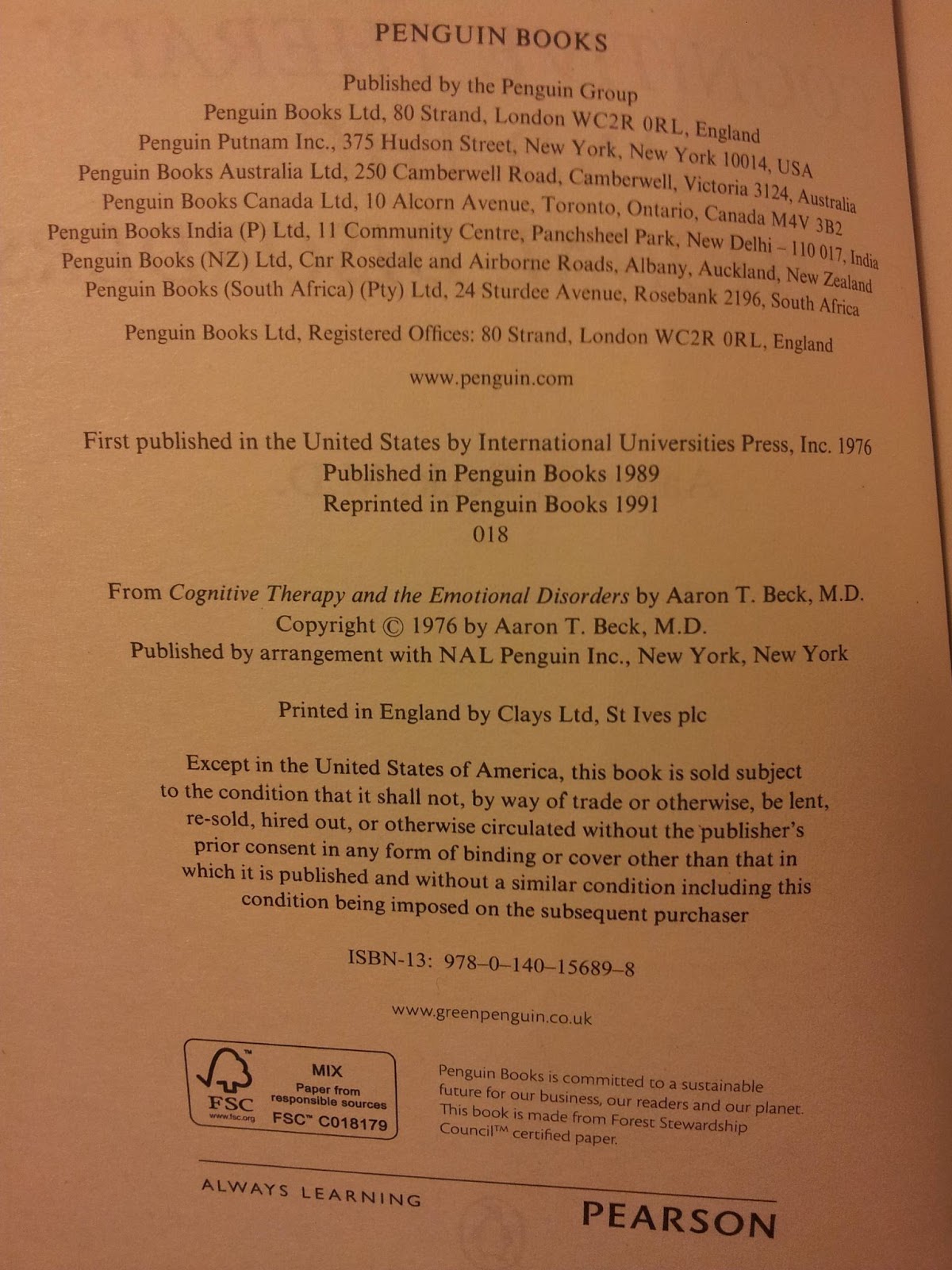
Example #1 —
Though this is for an older book ( ©1976), it still shows the kind of information typically included on a copyright page for a traditional publishing house.
Example #2 —
The tiny print makes this difficult to read, but it still serves as an example of asserting your rights as the author. The notice acts as a “No Trespassing” sign to anyone tempted to use the book as their own.
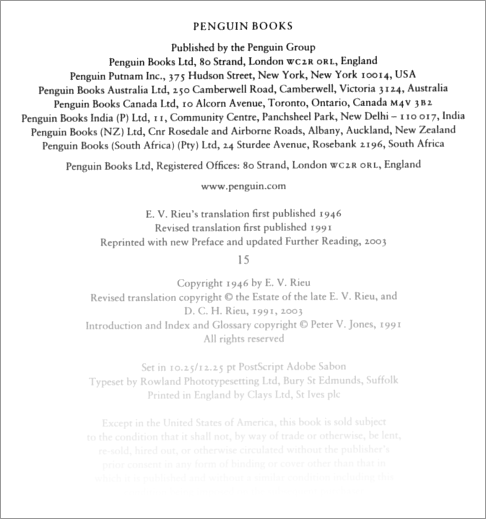
Example #3 —
Here’s another older (albeit faded) example of a copyright page for Penguin Books in London. This one includes a credit for typesetting and a separate copyright for the introduction, index, and glossary.
Now that you’ve looked through the sample copyright pages and have learned all you need to know, it’s time to draft a copyright page of your own. Use any of the templates provided or use one as a guide for your own creation.